Image Alt Text - WordPress Plugin Powered by AI, Done in Minutes.
Description
Most WordPress sites are missing alt text on over half their images — every one a keyword Google can’t read. Image Alt Text Pro fixes your entire library in one click and keeps every new upload covered automatically.
The “Image Alt Text” plugin is a simple yet powerful tool that allows website owners and content creators to easily edit the alt tags for images on their website. Alt tags, or alternative text descriptions, are important for both accessibility and search engine optimization (SEO) purposes, as they provide a textual description of an image for users who are visually impaired or for search engines that cannot interpret images.
With this plugin, website owner and admins can easily edit alt tags for all images on their website directly from the Plugin Menu. The plugin provides a user-friendly interface that allows users to quickly update alt tags for individual images or copy alt text for all missing images. Additionally, the plugin includes a feature to generate alt tags based on the image file name, saving users time and effort.
The “Image Alt Text” plugin is a simple yet powerful tool that allows website owners and content creators to easily edit the alt tags for images on their website. Alt tags, or alternative text descriptions, are important for both accessibility and search engine optimization (SEO) purposes, as they provide a textual description of an image for users who are visually impaired or for search engines that cannot interpret images.
With this plugin, website owner and admins can easily edit alt tags for all images on their website directly from the Plugin Menu. The plugin provides a user-friendly interface that allows users to quickly update alt tags for individual images or copy alt text for all missing images. Additionally, the plugin includes a feature to generate alt tags based on the image file name, saving users time and effort.
Technical Support
We would always love to hear from you about plugin issue, queries and enhancements. Please use native support forum to benefit other users also if they have the same issue. Visit our support on the Plugin’s Forum.
Features
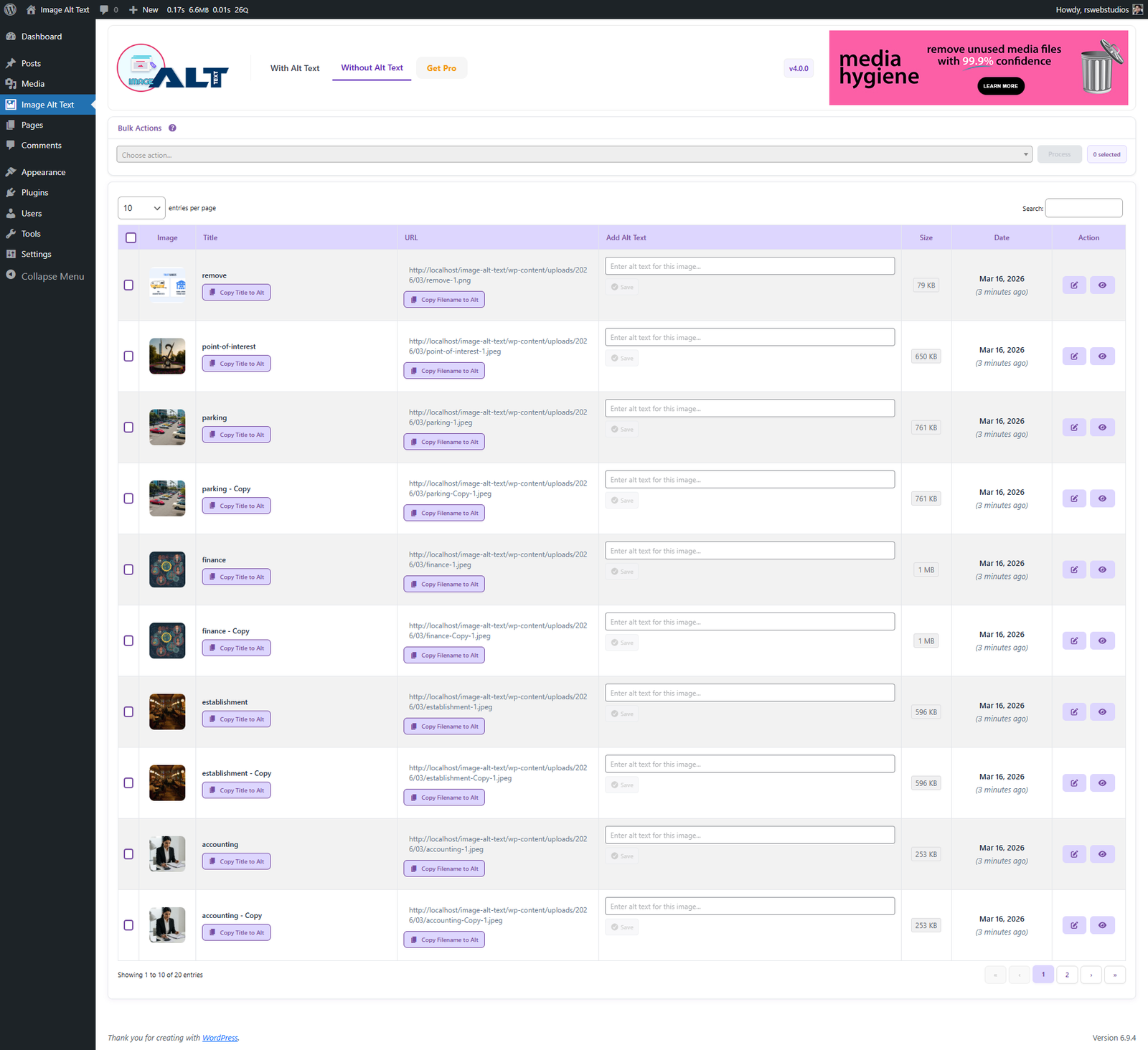
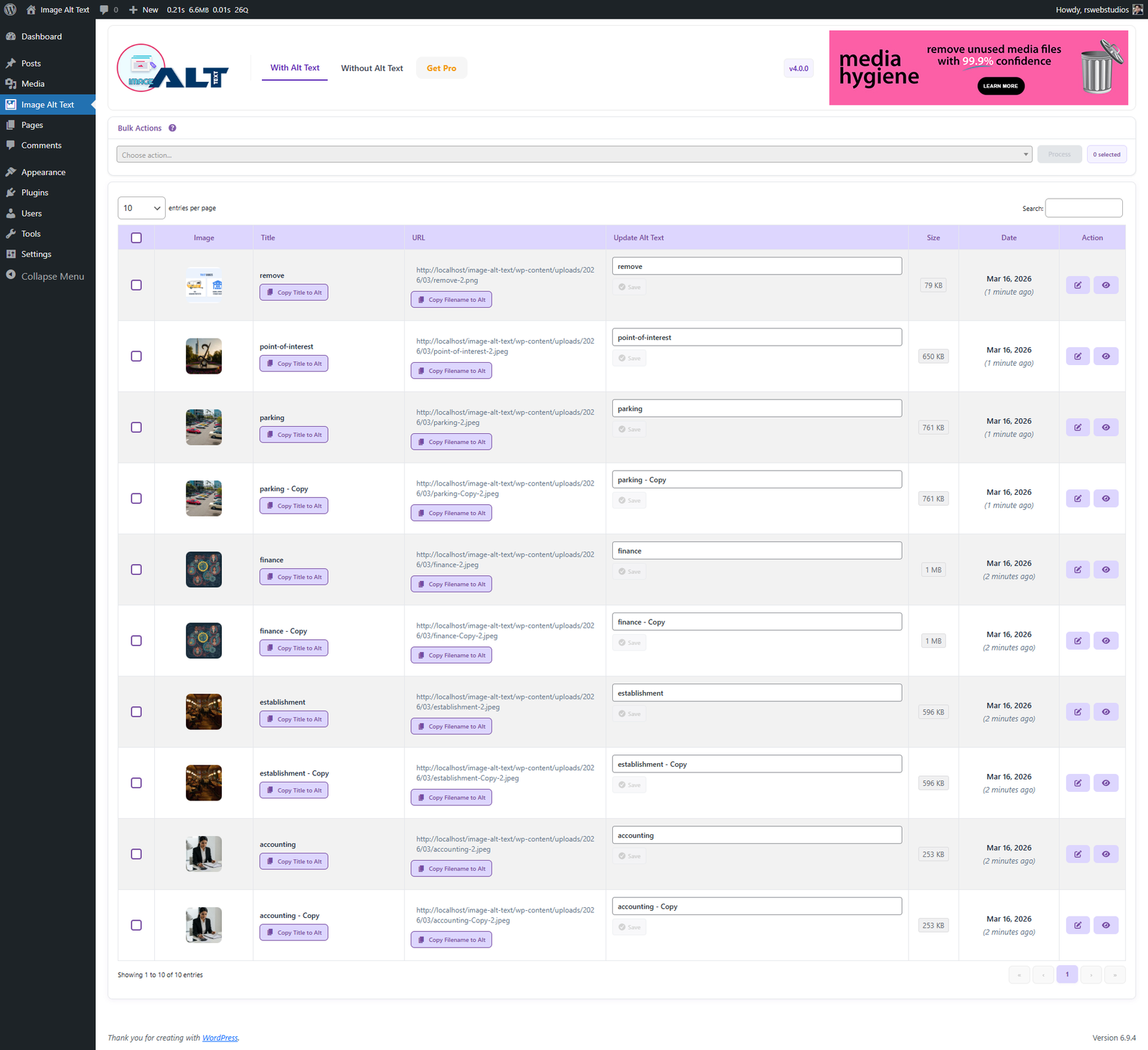
- Provides a list existing media alt text details in table format so user can edit alternative text.
- Provides a list of media file for missing alternative text to update.
- Provides a option in both existing and missing alternative list to copy title name as alternative media file.
- Provides a button to update alternative text to missing alternative media file in bulk.
- Search images easily with available table column header.
- Sort image table data in ascending and descending order to easily find the images.
Faq
How is this plugin different from default WordPress media?
” This plugin allow you to easily edit the alternative text of images on the same page. It is easy for images with different parameters without page refresh. “
How does this work for Bulk Alt Text?
” This button is available only in tab Media Without Alt. When you press this button, it will ask your confirmation to copy file name to images where alternative text is missing. After confirmation it will copy for all the alternative text for all images that do not had the alt text. “
Is there any redo button for **Bulk Alt Text** button?
” No, there is not redo button for now. “
Where can I ask for help?
” Please reach out via the official support forum on WordPress.org. “
Do I need an API key to use the plugin?
No. The free version and all Pro plans include Copy Title to Alt Text and Copy Filename to Alt Text — these work without any API key or external account. API keys are only needed if you want to use AI-generated descriptions (OpenAI, Gemini, Claude, Azure, or Hugging Face).
Which AI provider gives the best results?
It depends on your images and budget. OpenAI GPT-4o consistently produces the most detailed descriptions. Google Gemini is a strong free-tier option. Claude AI is excellent value for money. Azure Vision gives 5,000 free calls/month — ideal for small to medium sites. All providers are supported equally — you can switch anytime.
Why is my Hugging Face API returning an error?
The most common causes are:
- “Invalid username or password” — Your token is missing the “Make calls to Inference Providers” permission. Go to your HF token settings and enable it.
- “Model not supported by any provider you have enabled” — The model you entered is not available through your enabled Inference Providers. Try the default model
Qwen/Qwen2.5-VL-7B-Instructor check the HF Inference Providers documentation for supported models. - Slow first response — Some models take 20–30 seconds to warm up on their first call (cold start). This is normal. The plugin retries automatically.
Is the plugin compatible with WooCommerce?
Yes. The plugin works with all WordPress media including WooCommerce product images. You can filter by upload date to target recently added product images and run bulk actions on them.
What is the "Missing Alt Highlighter"?
It is a frontend tool visible only to logged-in admins. When enabled it draws a visible red outline around every image on your live site that is missing alt text. This lets you quickly identify gaps by browsing your site normally — without running a report or opening the admin panel.
Can I use multiple AI providers?
Yes. You can save API keys for as many providers as you like. Each Bulk Action, One-Shot, or Row Action lets you choose which provider to use for that specific run. This means you can, for example, use Gemini for product images and OpenAI for editorial images.